Ablestar vs Mixtable: Pricing, Job Limits, and Features
Managing a large catalog through Shopify’s standard admin tools costs hours and invites mistakes. Some tasks, like editing metafields across thousands of SKUs or setting international market prices, are barely possible in the core admin at all. That is why specialist bulk editing apps exist.
Ablestar Bulk Product Editor and Mixtable Spreadsheet Editor both solve that problem, and they represent the two main schools of thought about how bulk editing should work. Ablestar builds rules that describe your edit. Mixtable gives you a spreadsheet and lets you calculate the values yourself. Neither approach is universally better, so this comparison is about matching one to how you actually work.
Which one to choose: Ablestar vs. Mixtable?
| Ablestar Bulk Product Editor | Mixtable Spreadsheet Editor | |
|---|---|---|
| What’s similar |
|
|
| Approach | Rule builder: describe the edit, preview it, apply it | Spreadsheet: calculate the values with formulas, preview, then sync |
| Differences |
|
|
| Can edit |
|
|
| Used by |
|
|
| Popular for |
|
|
| What is metered |
|
|
| Price |
|
|
| App store links | Ablestar | Mixtable |
Ablestar and Mixtable: Similarities
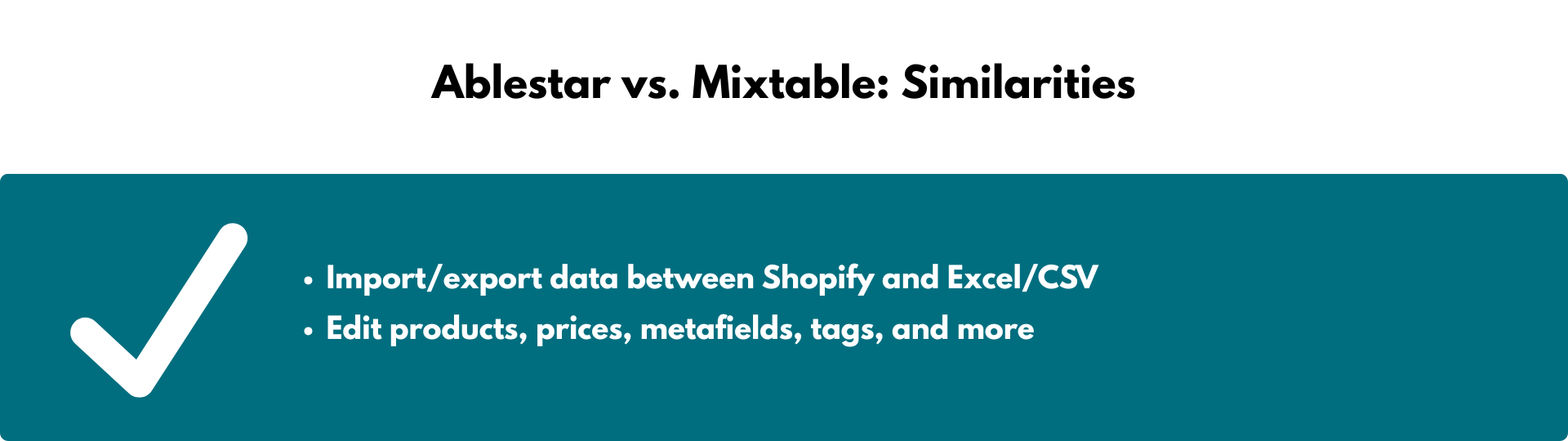
Store owners use both apps for:
- Editing products, prices, metafields, tags, and more. Both are built for changing product data at a scale the Shopify admin cannot handle comfortably.
- Moving data between Shopify and spreadsheet files. Both extend Shopify’s basic export. Ablestar accepts CSV, Matrixify, and Excelify formats on import, which makes migrations easier. Mixtable imports CSV and exports CSV or Excel. It does not import XLSX files
- Previewing before committing. Both show you what will change before anything reaches your live store, which is the single most valuable safety feature either app offers.
Where Ablestar pulls ahead
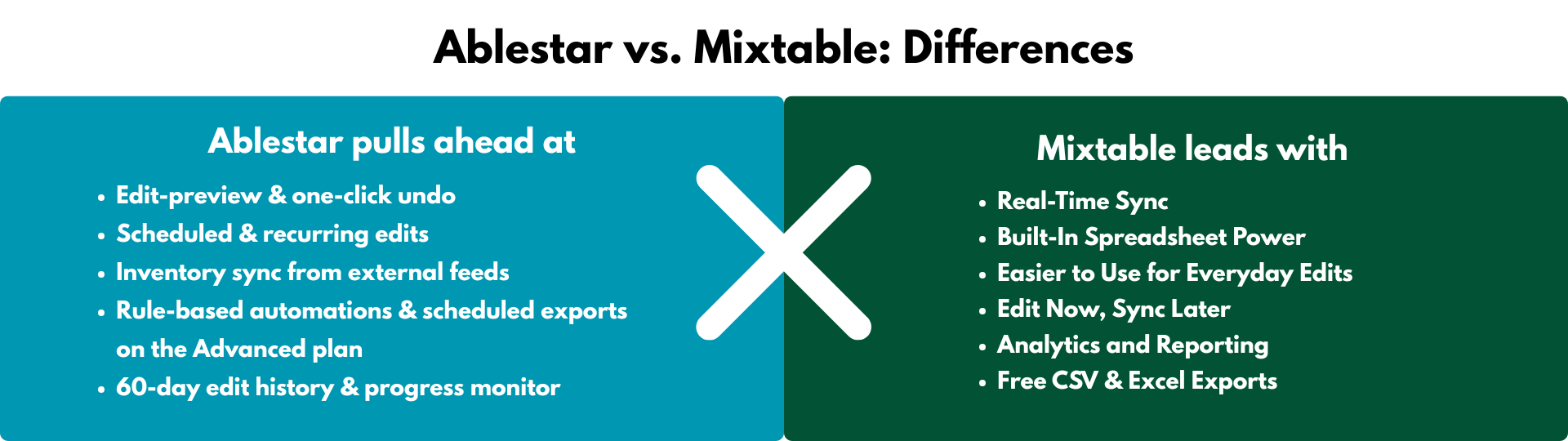
Ablestar is the better app for merchants who want edits to happen without them. Mixtable has no scheduling or automation engine at all, so if any of the following describe your workflow, Ablestar is the more sensible choice.
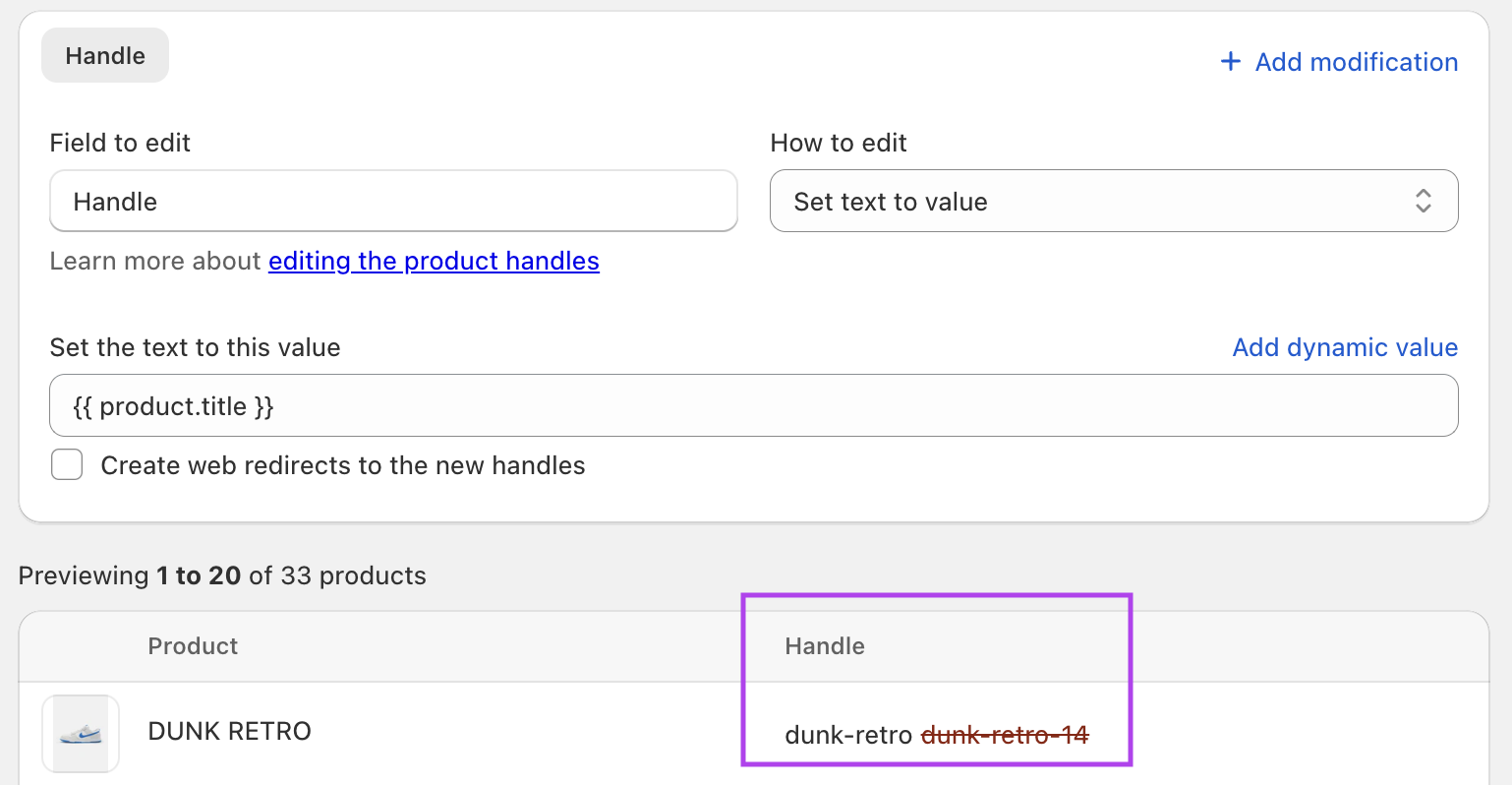
1. Scheduled and recurring edits. Queue a price change for a launch date or set a discount to roll back automatically after a sale. Mixtable cannot do this.
2. Inventory sync from external feeds. Ablestar keeps stock levels aligned with supplier files from Google Drive, Dropbox, or an FTP or URL source, with no custom scripts. If your inventory comes from a supplier feed on a schedule, this alone may decide it.
3. Rule-based automations and Liquid snippets. Automatic product rules apply changes as products meet conditions. On higher plans, Liquid code snippets can express conditional, cross-field logic that goes beyond the standard rule builder. Mixtable has no event-driven automation engine.
4. One-click undo and long edit history. Every edit can be rolled back, and the history runs 60 days on Basic, 90 on Advanced, and 180 on Professional. For teams that need an audit trail, this is a genuine advantage.
5. Flexible spreadsheet imports. Ablestar accepts several spreadsheet formats and lets you map imported columns, which is handy during a migration.
Where Mixtable leads
Mixtable’s case rests on seeing and calculating values directly in a spreadsheet instead of configuring a task or writing a code snippet.
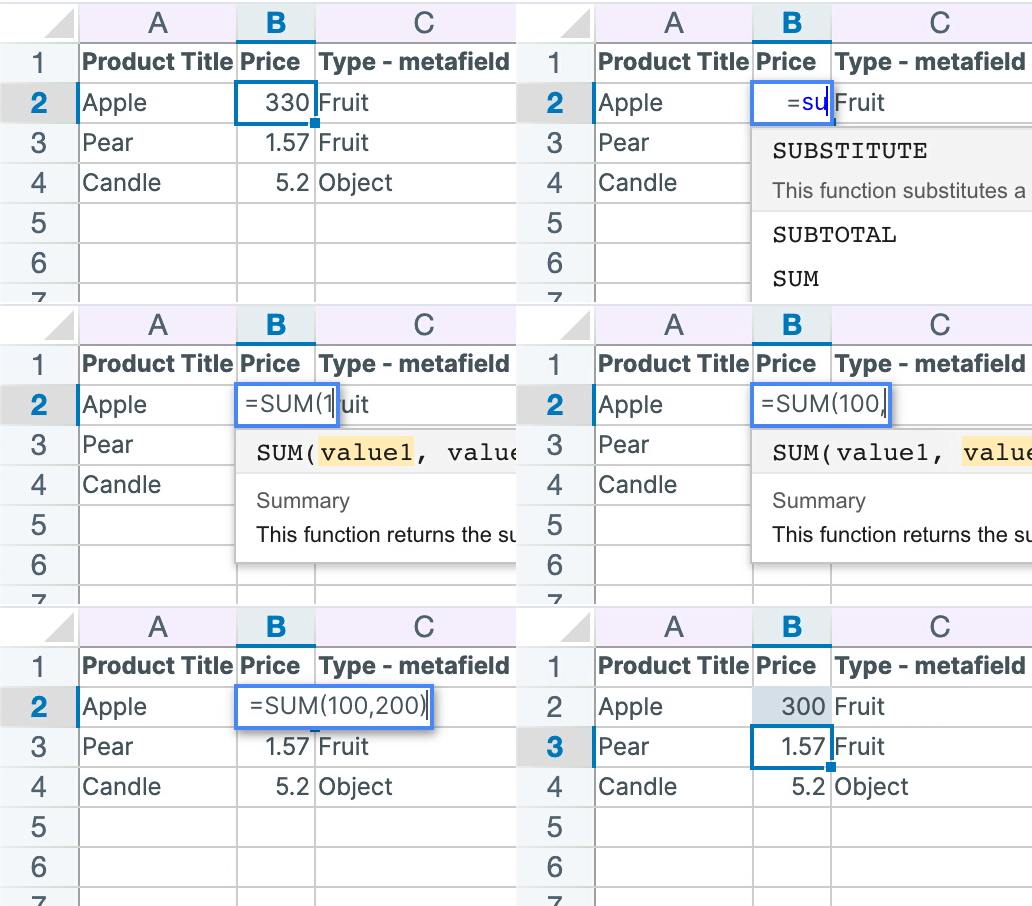
1. Formulas stay visible beside the data. Ablestar’s standard rule builder handles operations such as increasing a vendor’s prices by 10%, and its Liquid snippets can express more complex logic on higher plans. Mixtable takes a different approach: formulas such as SUM, VLOOKUP, ROUND, and CONCAT run in cells beside the source data, so you can inspect and adjust the calculation before syncing the results.
2. Orders and customers, which Ablestar cannot touch. Ablestar has no access to order or customer data. Mixtable loads orders, line items, refunds, transactions, customers, and B2B companies as worksheets. If your job is tagging customers by purchase history or exporting order data for accounting, Ablestar is not a candidate.
3. Paid editing is not metered by volume. Ablestar’s tiers are drawn around feature counts: 1 inventory sync job on Basic, 5 on Advanced, 10 on Professional, and similar ladders for recurring edits, scheduled exports, and automation rules. The store that needs a sixth sync job pays $120/month. Mixtable’s paid editing price follows the Shopify plan you are already on, with no caps on products, rows, edits, or exports.
4. See everything at once. A spreadsheet shows you your data. You can sort by margin, filter to products missing a metafield, and spot the SKU with a misplaced decimal, all before deciding what to change. Rule builders act on records you cannot see while you configure the rule.
5. Editing and reporting in one place. Mixtable Analytics Spreadsheet adds reporting worksheets and analytics columns to the same spreadsheet system, so you can rank vendors by net sales and then edit those vendors’ prices without changing tools. It is free.
6. Free exports. Export the whole spreadsheet to Excel or a worksheet to CSV at no cost, on any plan including the free one.
How syncing actually works
Worth being precise, because “real-time sync” gets used loosely in this category. Mixtable keeps your spreadsheet connected to your store, and product, variant, collection, customer, and order data refreshes through normal worksheet flows. Your edits are held as drafts. When you are ready, the sync preview lists every affected row, object, field, and pending value, including values generated by formulas, and you run Sync to Shopify deliberately. Some data, including blogs, pages, payouts, market prices, and B2B prices, is refreshed with a manual download rather than automatically.
Pricing comparison: Ablestar vs. Mixtable
Both apps have a free plan. The difference is what the paid tiers are drawn around.
-
Ablestar’s pricing varies by features.
- Starter ($0), 10 products per edit, import, or export
- Basic ($30/month), unlimited products per task, 60-day history, 1 inventory sync job
- Advanced ($60/month), 5 recurring edits, 90-day history, 5 sync jobs, 5 scheduled exports
- Professional ($120/month), 20 recurring edits, 180-day history, 10 sync jobs, 20 scheduled exports
-
Mixtable’s pricing is based on your Shopify plan. Every paid editing plan has the same features with no limits and comes with a free trial. The free plan covers CSV and Excel exports. CSV files can be loaded into a spreadsheet, but sending imported changes to Shopify requires a paid editing plan.
- Free ($0), CSV and Excel exports
- Basic ($15/month)
- Shopify & Advanced ($35/month)
- Shopify Plus ($49/month)
The practical consequence: a store on Shopify’s Advanced plan running six supplier feeds pays $120/month with Ablestar and $35/month with Mixtable, but only Ablestar can run those feeds on a schedule. Which number matters depends on whether you need the automation.
Conclusion
Choose Ablestar if your bulk editing is scheduled, recurring, or fed from supplier files. Automation is where it is clearly stronger, and Mixtable does not compete there.
Choose Mixtable if your edits are decisions rather than schedules. The merchant who gets the most from it opens the sheet, sorts by margin, sees which 340 products are underpriced, writes one formula that prices them off cost and category, checks the preview, and syncs. Then, in the same spreadsheet, tags the affected customers and exports the result for their supplier. That is one tool, no per-job fees, and the same $35/month whether the catalog holds 600 products or 60,000.