Hextom vs Mixtable: Shopify Bulk Editor Pricing and Limits
Editing product data through Shopify’s standard admin is slow, error-prone, and hard to undo. Hextom: Bulk Product Edit and Mixtable Spreadsheet Editor both fix that, and they are unusually clean opposites in how they do it.
Hextom is a task engine. You configure a bulk edit, it runs server-side, and a backup lets you roll it back. Mixtable is a spreadsheet. You see your catalog as a grid, change it like a spreadsheet, and sync when you are satisfied. This comparison covers where each one wins, including the cases where Hextom is the better and cheaper answer.
Which one to choose: Hextom vs. Mixtable?
| Hextom Bulk Product Edit | Mixtable Spreadsheet Editor | |
|---|---|---|
| What’s similar |
|
|
| Approach | Configure a task, run it server-side, roll back from a backup if needed | Edit a live grid, review the sync preview, then send changes to Shopify |
| Differences |
|
|
| Used by |
|
|
| Popular for |
|
|
| What is metered |
|
|
| Price |
|
|
| App store links | Hextom | Mixtable |
Hextom and Mixtable: Similarities
Store owners use both apps for:
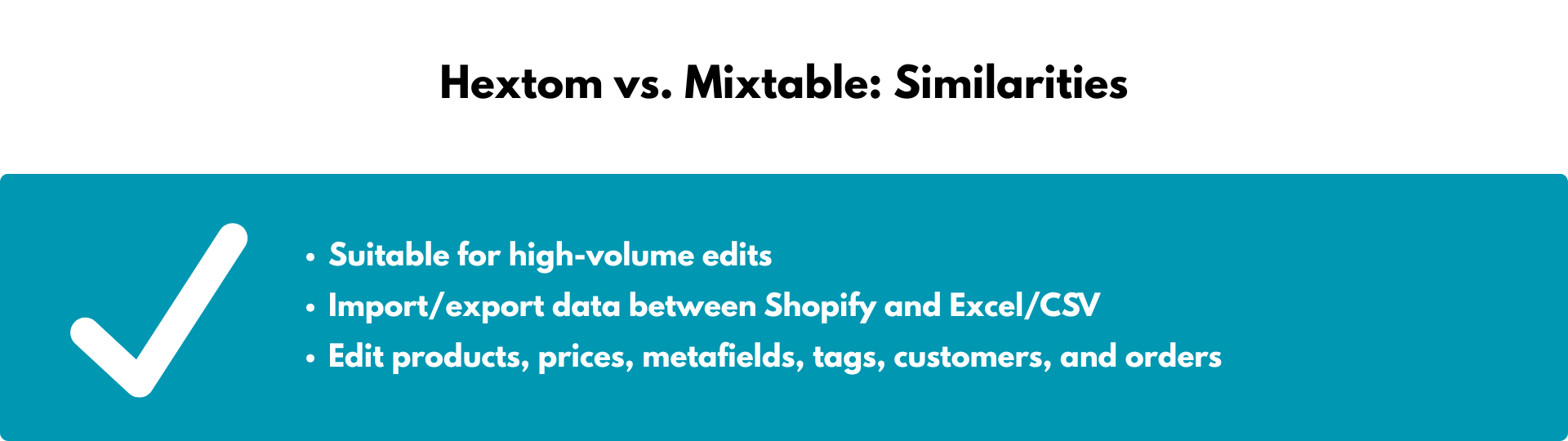
- Editing across the whole store, not just products. Unlike Ablestar, which has no access to order or customer data, both Hextom and Mixtable reach products, collections, metafields, customers, and orders.
- Moving data between Shopify and spreadsheet files. Hextom handles CSV and XLSX imports and exports. Mixtable imports CSV and exports CSV or Excel. It does not import XLSX files
- Running as many jobs as you like. Hextom places no limit on the number of tasks on any plan, and Mixtable places no limit on edits on any paid plan. The difference is in how big a single job can be, covered below.
When Hextom is the stronger choice
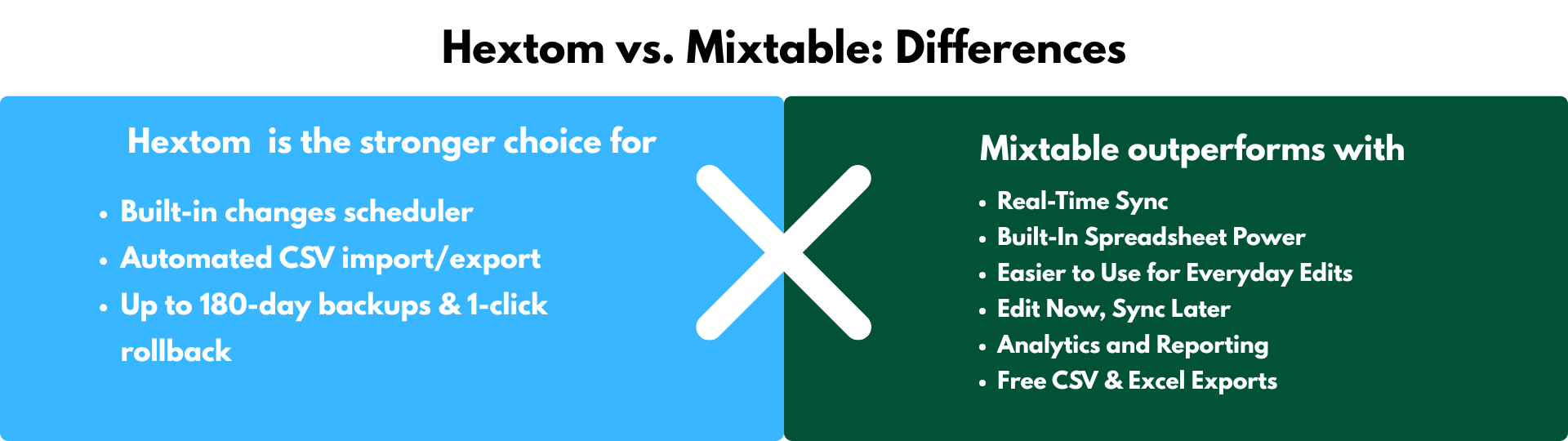
Hextom is purpose-built for set-and-forget updates. Mixtable has no scheduler and no automation engine, so on these three points Hextom simply wins.
1. Built-in scheduler. Queue edits daily, weekly, or for a launch date. Discount cycles, seasonal rollouts, and inventory syncs run without you. Professional supports 10 active scheduled tasks and Advanced supports 100.
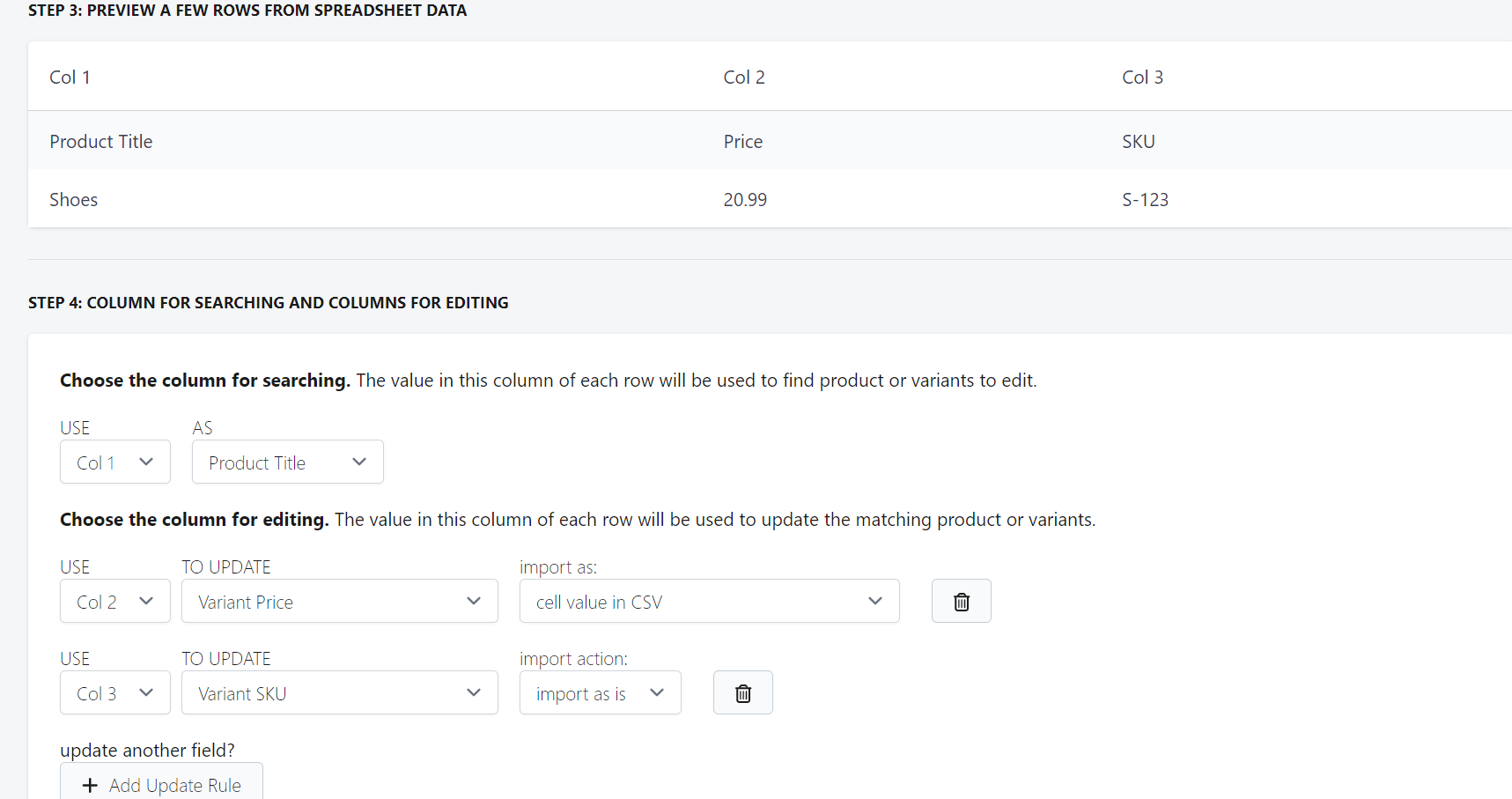
2. Automated CSV import and export. Hextom accepts pre-formatted CSVs and applies changes server-side, so a developer can feed edits from an ERP or PIM without anyone opening the app.
3. Backups and one-click rollback. Every plan includes backups, from 30 days on the free tier to 180 days on Advanced and 360 days on Enterprise, with instant undo. Mixtable lets you inspect changes in the sync preview before sending them, but it has no equivalent restore-from-backup button afterward.
Hextom is also cheaper to start. At $9.99/month it undercuts Mixtable’s $15 entry plan, and for a store editing a few hundred products at a time that is a real advantage.
When Mixtable outperforms
1. Paid editing plans have no per-task product cap. Hextom meters products per task below Enterprise: 10 on the free plan, 500 on Basic, 5,000 on Professional, and 50,000 on Advanced. Enterprise removes that limit at $99.99/month. Mixtable also has no per-edit product ceiling on its paid plans, and a store on Shopify’s Advanced plan pays $35/month regardless of catalog size.
2. Formulas instead of a form. Hextom’s task builder is excellent at expressible rules. It is not built for “price this from cost using the margin for its category, rounded to the nearest 0.95, but never below the current compare-at price.” In Mixtable that is a formula, using SUM, VLOOKUP, ROUND, CONCAT, and lookup tables against your own reference data.
3. You can see the catalog while you decide. A task engine asks you to describe an edit against records you cannot see. A spreadsheet shows you the data first: sort by margin, filter to products missing a metafield, spot the misplaced decimal, then decide. For exploratory work, this is a different kind of tool.
4. Pickers instead of IDs. Add variants, tags, or collections through dropdowns and built-in pickers. You do not need to look up or paste Shopify IDs.
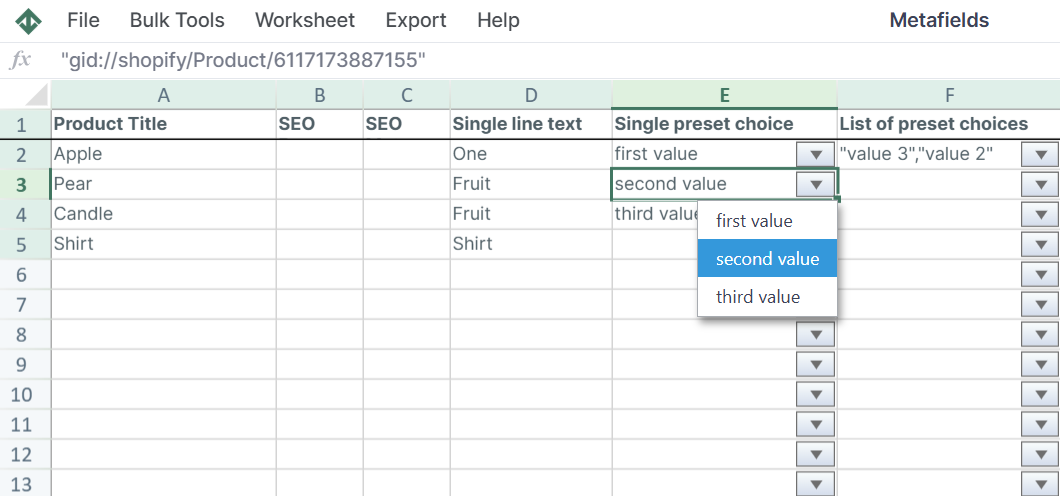
5. Edit now, sync later. Make small changes across many products over a session, review them together, and send them in one pass. Nothing requires you to prepare a file in advance.
6. Reporting in the same spreadsheet. Mixtable Analytics Spreadsheet adds reporting worksheets and analytics columns, so you can rank products by net sales or return rate and then act on the result without leaving the spreadsheet. It is free.
How syncing actually works
Mixtable keeps your spreadsheet connected to your store, and product, variant, collection, customer, and order data refreshes through normal worksheet flows. Your edits are held as drafts. The sync preview then lists every affected row, object, field, and pending value, including values generated by formulas, and you run Sync to Shopify deliberately. Some data, including blogs, pages, payouts, market prices, and B2B prices, is refreshed with a manual download rather than automatically.
Pricing comparison: Hextom vs. Mixtable
Both apps have a free plan, and both are inexpensive. They meter completely differently.
-
Hextom’s pricing is based on products per task.
- Demo ($0), 10 products per task, 30-day backup
- Basic ($9.99/month), 500 products per task, 60-day backup
- Professional ($19.99/month), 5,000 products per task, 10 scheduled tasks, 90-day backup
- Advanced ($49.99/month), 50,000 products per task, 100 scheduled tasks, 180-day backup
- Enterprise ($99.99/month), unlimited products, collections, customers, and orders per task, with 360-day backup
-
Mixtable’s pricing is based on your Shopify plan. All paid editing plans include every feature with no limits and come with a free trial. The free plan covers CSV and Excel exports. CSV files can be loaded into a spreadsheet, but sending imported changes to Shopify requires a paid editing plan.
- Free ($0), CSV and Excel exports
- Basic ($15/month)
- Shopify & Advanced ($35/month)
- Shopify Plus ($49/month)
Below roughly 5,000 products per edit, Hextom is the cheaper app. For larger single tasks, compare Hextom’s Advanced and Enterprise limits with the Mixtable price tied to your Shopify plan. Hextom reaches unlimited task size on Enterprise, while Mixtable’s paid editing plans do not introduce a per-task product cap.
Conclusion
Choose Hextom for scheduled, repeating batch jobs, for feeding edits from an ERP without human involvement, and for the reassurance of a 180-day restore point. If your store edits a few hundred products at a time on a routine, it is also the cheaper tool.
Choose Mixtable when the edit requires a decision rather than a schedule, especially when formulas and a visible grid matter more than rollback or automation. A merchant can open one spreadsheet, sort, filter, write a formula, inspect the preview, and sync, with no per-task product cap on a paid editing plan. Hextom can also handle unlimited products on Enterprise, but it remains a task-based workflow rather than an editable spreadsheet.