Metafields Guru vs Mixtable: Pricing and Catalog Limits
Metafields are how a Shopify store holds the data the platform has no field for: colors, spec sheets, downloadable files, related products, care instructions, banner content, and everything else that makes a product page yours. Editing them one at a time in the Shopify admin stops being realistic somewhere around the fiftieth product.
Two apps solve that problem well, and they solve it from opposite directions. Metafields Guru is a specialist that does metafields thoroughly. Mixtable is a spreadsheet for your whole store, in which metafields are simply more columns. This article compares them honestly, including where the specialist wins.

| Metafields Guru | Mixtable Spreadsheet Editor | |
|---|---|---|
| Types of metafields that can be edited |
|
|
| Edit metafields for |
|
|
| Interface | Graphic UI with a spreadsheet-style bulk editor | Full online spreadsheet with formulas, filters, and find and replace |
| CSV import/export | Yes | Yes, plus Excel export |
| Metafields 2.0 management | Yes | Yes |
| Category metafields management | Yes | Yes |
| Metaobjects editor | Yes | Yes, with dedicated metaobject worksheets |
| WYSIWYG HTML editor for text metafields | Yes | No dedicated WYSIWYG editor for metafield cells |
| Display metafields on the storefront | Yes, via theme extension blocks, no code required | No |
| Shopify admin browser extension | Yes | No |
| Shopify Flow integration | Yes | No |
| Edit non-metafield store data | Metafields and metaobjects only | Products, variants, prices, inventory, orders, customers, collections, tags, images, and SEO in the same spreadsheet |
| What is metered | Included products and orders by plan, with additional resources processed through app credits | Paid editing plans follow your Shopify plan, with no product or edit caps |
| Price |
|
|
| App store links | Metafields Guru | Mixtable |
Where Metafields Guru is the better choice
Let us be direct about this, because it will save some readers a trial. On metafields specifically, Metafields Guru is a deeper tool than Mixtable, and three of the things it does have no equivalent in Mixtable at all.
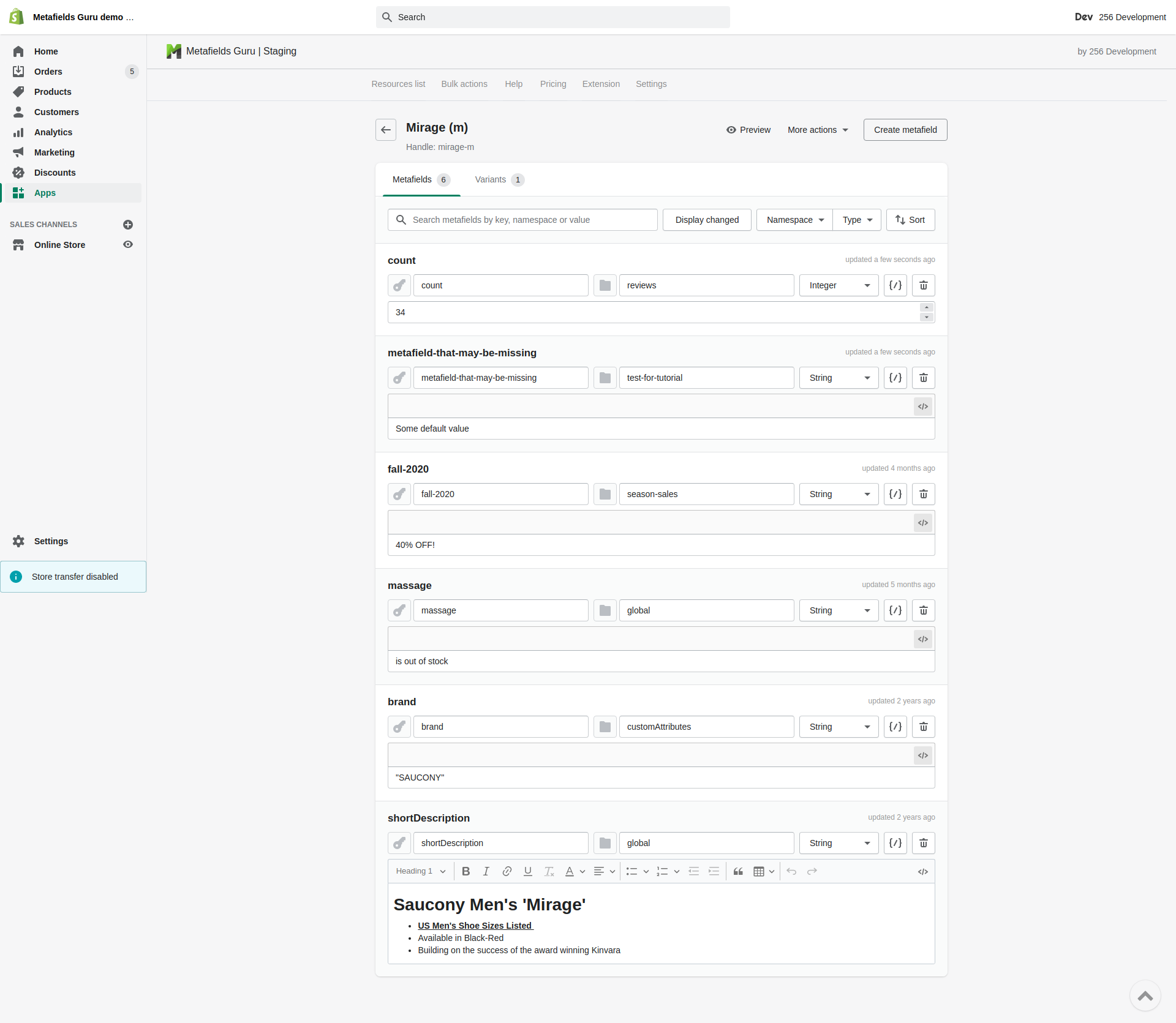
1. It puts metafields on your storefront without code. Theme extension blocks let you display a metafield on a product page without touching Liquid. Mixtable manages the data, it does not render it.
2. It works inside the Shopify admin. A browser extension surfaces metafield editing on the admin pages you are already looking at, which is genuinely convenient for one-off corrections.
3. It automates through Shopify Flow. If you want metafield changes triggered by store events, Metafields Guru connects to Flow. Mixtable has no scheduling or automation engine.
It also handles metafield sets and definitions, backup and restore, and every metafield data type, from JSON and file references to dimensions and ratings. If metafields are the whole job and you want the most thorough tool for that job, this is a strong app and your comparison can stop here.
Where Mixtable is the better choice
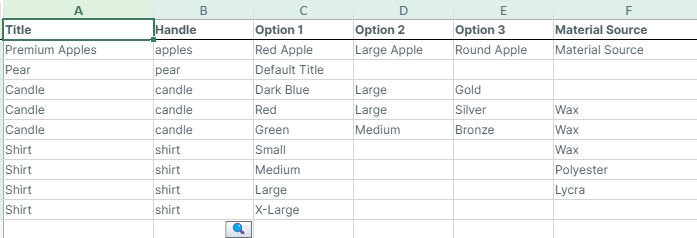
Mixtable’s argument is not that it edits metafields better. It is that metafields are rarely the only thing you need to change.
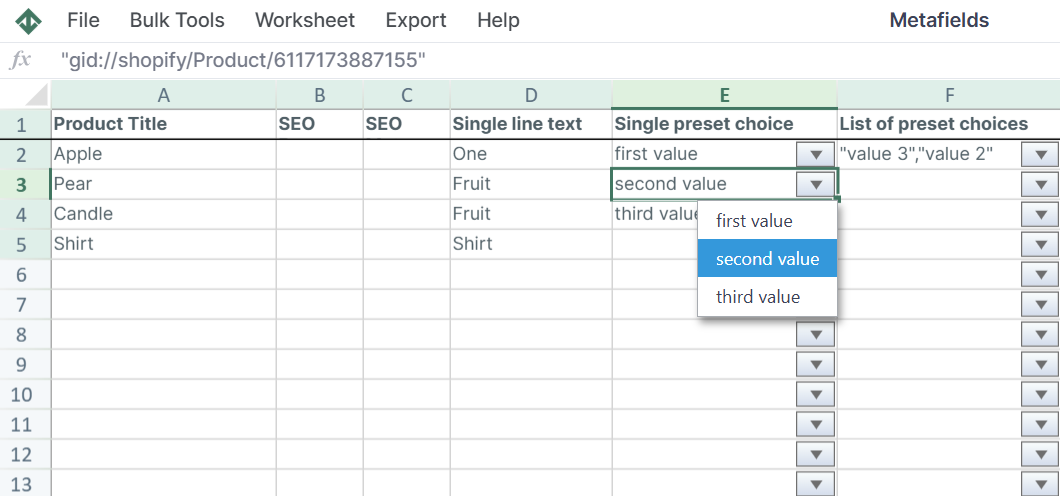
1. Metafields sit beside everything else. In Mixtable Spreadsheet Editor, a metafield is a column. So is price, SKU, inventory, vendor, product type, SEO title, and tags. One worksheet can carry a product’s spec metafield, its compare-at price, and its collection membership, and a single sync sends all three. With a metafields specialist, that same task means three tools and three passes.
2. Formulas generate the values. Because it is a real spreadsheet, you can build metafield content instead of typing it. Concatenate a care instruction from a material field and a size field, round a numeric spec, or use a lookup table to map 400 vendor codes to display names. Filters and find and replace work across the whole sheet.
3. Paid edits are not metered by resource count. Metafields Guru includes a plan-based number of products and orders, then uses app credits to process additional resources. Those allowances are not hard ceilings. Mixtable’s paid editing price is set by the Shopify plan your store is already on, with no separate cap on products, rows, or edits. For a large catalog, compare Metafields Guru’s included allowance and expected credit usage with the Mixtable plan for your store.
4. You review before anything ships. Edits stay as drafts until you choose to send them. The sync preview lists every affected row, object, field, and pending value, including values produced by formulas. It gives you a chance to inspect the result, but it does not decide whether a formula is logically correct.
5. Metaobjects get their own worksheets. Pick a metaobject definition and its entries load as rows you can bulk edit like anything else. One exclusion worth knowing: metaobject translation writes are not supported.
Which should you choose?
Choose Metafields Guru if metafields are a self-contained project, you want them rendered on the storefront without theme work, and you want Flow automation around them.
Choose Mixtable if metafields are one column in a wider job. The merchant who gains most is the one whose “metafield task” is really a catalog task: update the spec metafields, fix the vendor names, adjust the prices for that vendor, and re-tag the affected products, all in one sitting. That merchant opens one spreadsheet instead of four tools, writes a formula instead of typing every value, previews everything, and syncs once. Metafields Guru remains the deeper specialist, and its paid plans can process resources beyond their included allowances through app credits.
Both apps give you a free way to start, so the honest advice is to try whichever description above sounded more like your week.