NA Bulk Price Editor vs Mixtable: Pricing and Limits
Pricing is the fastest lever a merchant has and the easiest one to pull incorrectly. A misplaced decimal reaches customers immediately, and doing it by hand across a large catalog is not realistic. Both apps in this comparison solve that, from different angles.
NA Bulk Price Editor is a pricing specialist: it does price changes thoroughly, schedules them, and can revert them. Mixtable Spreadsheet Editor is a spreadsheet for your store in which price is one column among many. This comparison covers both fairly, including the case where the specialist is the better and cheaper buy.

High-level comparison of Shopify bulk price editors
| NA Bulk Price Editor | Mixtable Spreadsheet Editor | |
|---|---|---|
| Application interface | Graphic UI | Online spreadsheet |
| Increase/decrease prices by percentage (e.g. ±20%) | Yes | Yes |
| Increase/decrease prices by flat amount (e.g. ±$10) | Yes | Yes |
| Manage standard and international compare-at prices | Yes | Yes |
| Select products by collection, tag, vendor, type | Yes | Yes |
| Select products by market | Yes | Yes |
| Price from cost or margin | Yes | Yes, with formulas |
| Formula-driven pricing | No | Yes |
| Schedule price changes | Yes | No |
| Revert a price change after the fact | Yes, with price history | No rollback. Changes are reviewed in a preview before they are sent |
| Edit data other than prices | Prices, compare-at prices, and product tags | Products, variants, inventory, metafields, orders, customers, collections, images, SEO, and more |
| CSV import/export | Yes | Yes |
| Excel/XLSX support | No | Excel export only. XLSX import is not supported |
| What is metered | Number of price changes per month | Paid editing plans have no caps on price changes, products, or rows |
| Price |
|
|
| App store links | NA Bulk Price Editor | Mixtable |
Where NA Bulk Price Editor is better
NA Bulk Price Editor by Northern Apps is built for one job, and it does that job with tools Mixtable does not have.
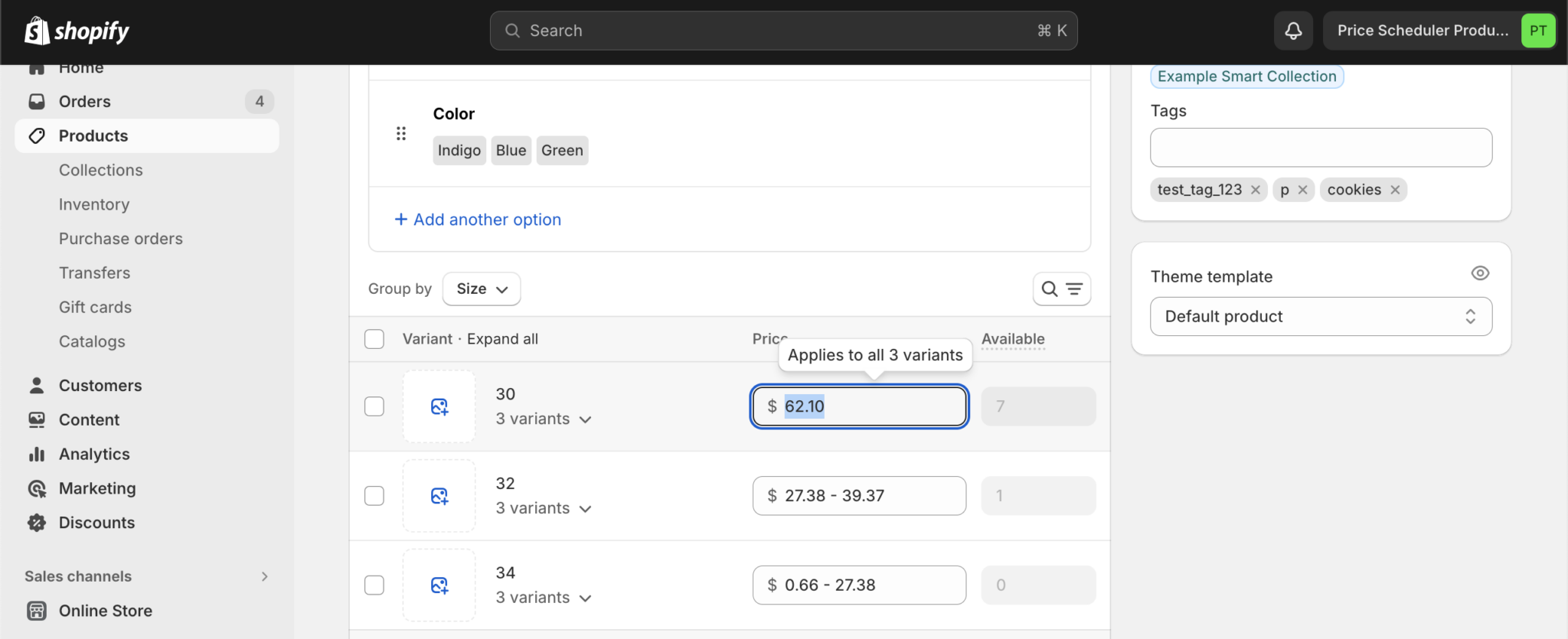
1. Scheduling. Set a sale to start Friday and end Monday without being at your desk. Mixtable cannot schedule anything, so for promotional calendars this is decisive.
2. Reverting price changes. The app keeps price history and can roll a change back. When a tariff adjustment turns out wrong, one action undoes it. Mixtable has no equivalent restore.
3. Purpose-built selection and pricing tools. Filter by collection, tag, vendor, type, title, or market, then set prices from a CSV or from unit cost and margin, and apply tags to the products you touched. It handles Shopify Markets relative and fixed international pricing well.
4. It is cheaper for pure price work. At $19.95/month for unlimited price changes, NA costs less than Mixtable’s $35 plan. If prices and compare-at prices are genuinely all you need to change, that is the better deal and this comparison can end here.
Where Mixtable is better
Mixtable’s case is that pricing decisions usually depend on data a pricing app cannot see, and that price is rarely the only field that needs to change.
1. Formulas, not preset operations. NA applies percentage and flat adjustments. Mixtable lets you compute the price: cost times the margin for that product’s category, rounded to the nearest 0.95, but never below the current compare-at price. Lookup tables let you map supplier codes to margins. This is the difference between adjusting prices and pricing a catalog.
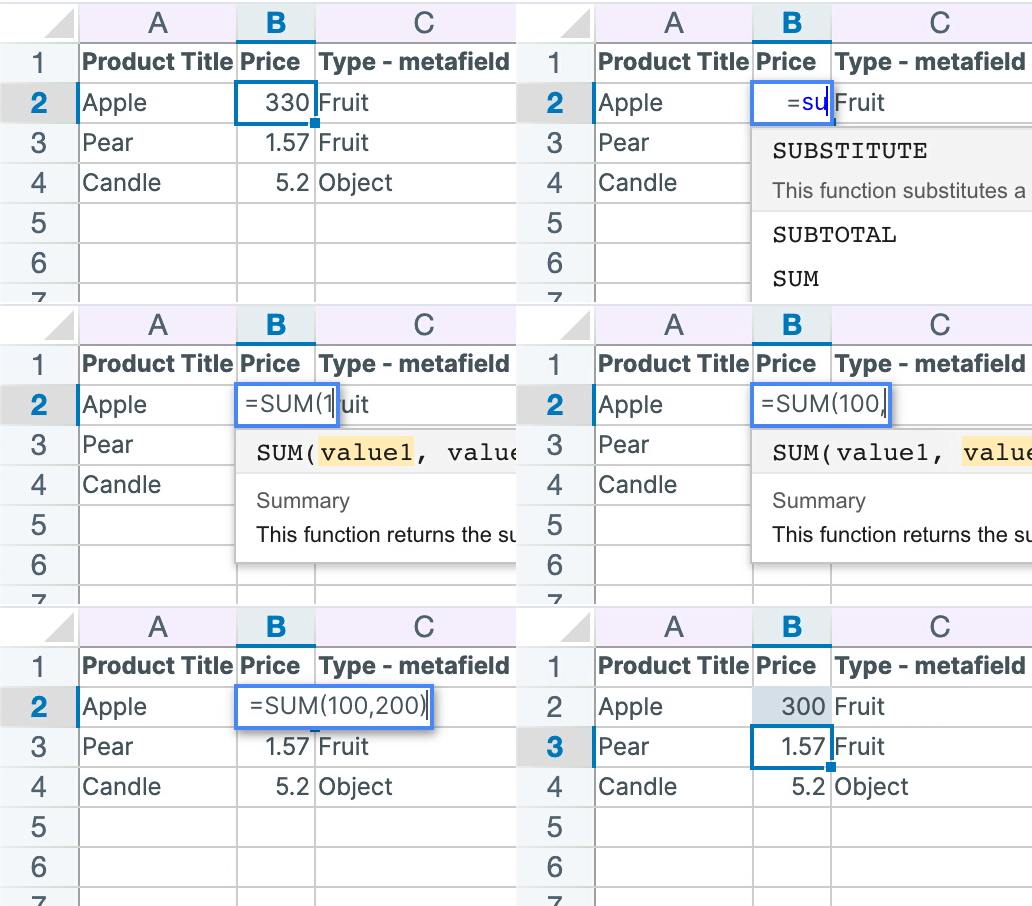
Mixtable also supports dynamic price changes built from your own reference data.
2. Nothing is metered. NA charges by price changes per month: 100 on the free plan, 1,000 at $9.95, 10,000 at $14.95, unlimited at $19.95. A store with 30,000 variants cannot run a single storewide repricing on anything below the top plan, and a month with two repricings doubles the count. Mixtable has no cap on price changes at any paid tier.
3. You can see what you are pricing. A pricing app asks you to define a filter and trust it. A spreadsheet shows you the products, their cost, their margin, their inventory, and their current compare-at price side by side, so you can sort by margin and find the 40 SKUs you are selling at a loss before you decide anything.
4. Price is one column of many. The same sheet edits inventory, metafields, tags, SEO fields, images, orders, and customers. A seasonal repricing usually comes with re-tagging and a collection change, and in Mixtable that is one sync instead of three tools.
5. Excel export as well as CSV. NA imports and exports CSV. Mixtable exports the whole spreadsheet to Excel with formatting and formulas intact, or a single worksheet to CSV. Its CSV import supports column mapping, primary-key matching, and a preview of affected rows, but it does not import XLSX files.
6. B2B and international pricing in the grid. Market price columns, price list columns, and B2B price list data are editable as columns. Note that these particular columns refresh with a manual download rather than automatically, so refresh before working on them.
7. Reporting alongside pricing. Mixtable Analytics Spreadsheet adds gross margin, net profit, and cost of goods sold as calculated columns next to your products, so you can find the underperforming margins and fix them in the same spreadsheet. It is free.
How syncing actually works
Mixtable holds your edits as drafts. Before anything reaches your store, the sync preview lists every affected row, object, field, and pending value, including values generated by formulas, and you run Sync to Shopify deliberately. The preview gives you a chance to inspect calculated prices before customers see them, but it does not determine whether a formula is logically correct.
Which should you choose?
Choose NA Bulk Price Editor if pricing is a self-contained, calendar-driven task. Scheduled sales, a revert button, and $19.95/month for unlimited changes make it the better tool for merchants whose pricing work is promotions.
Choose Mixtable if your prices are calculated rather than adjusted. The merchant who gains most opens the sheet, sorts by margin, sees the 340 products earning too little, prices them from cost and category with one formula, re-tags them, checks the preview, and syncs once. That merchant is not running a percentage discount; they are making a pricing decision that needs the data visible, and they pay the same $35/month whether the catalog holds 600 products or 60,000.
Both apps have a free plan, so you can test each against a real repricing from your own catalog before deciding.