More flexibility for Shopify Categories, Metafields, and Inventory
On this page
- Product Category in Shopify can now be edited in bulk from Mixtable Products (with variants) worksheet
- Shopify Product Metafields can now be changed from a Products (with variants) worksheet
- Product images can now be shown on a Products (with variants) worksheet
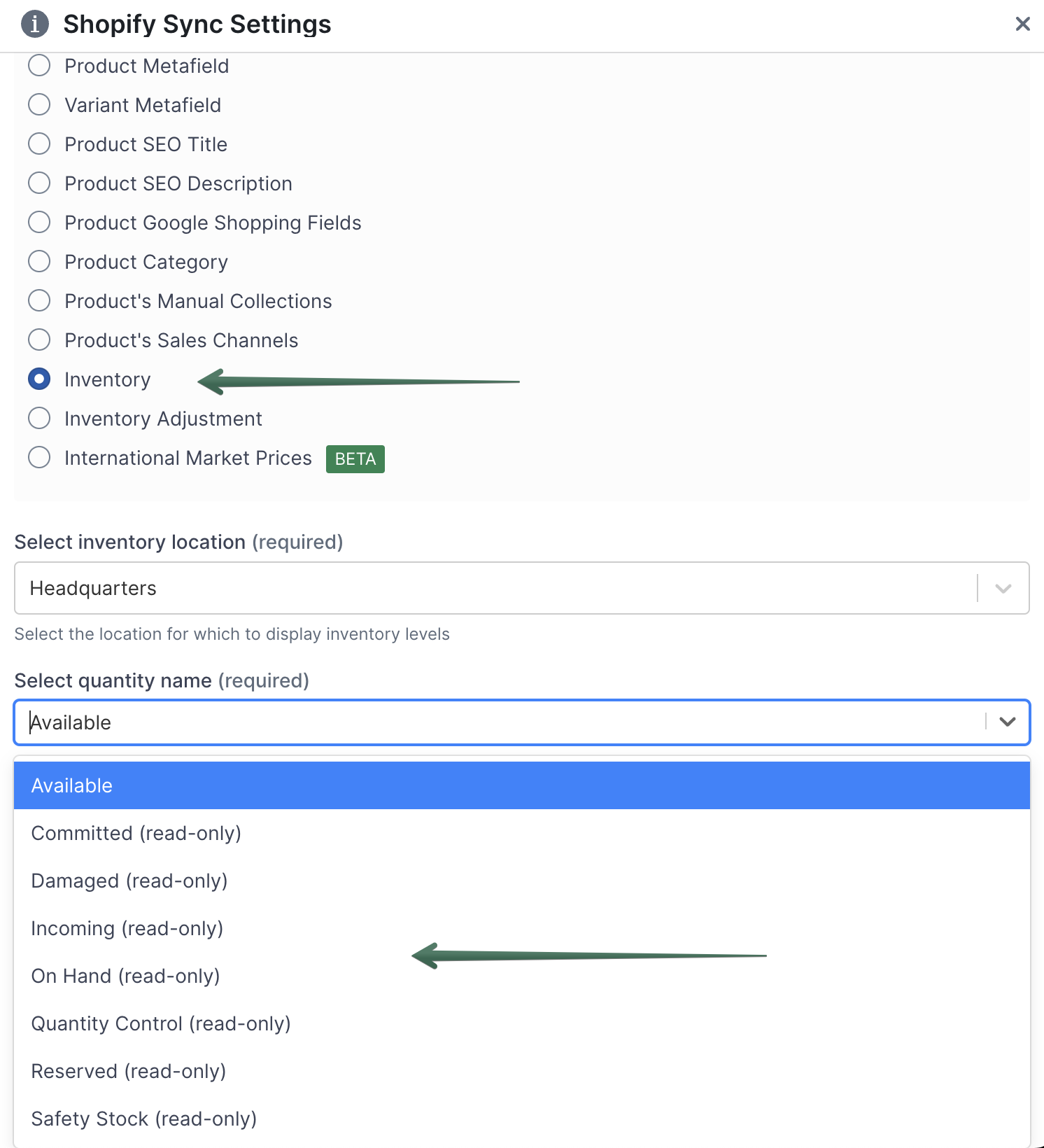
- Inventory sub-types can now be mapped to columns
Product Category in Shopify can now be edited in bulk from Mixtable Products (with variants) worksheet
Shopify Product Categories can now be synced from both Products (no variants) worksheet and Products (with variants) worksheets.
Shopify Product Metafields can now be changed from a Products (with variants) worksheet
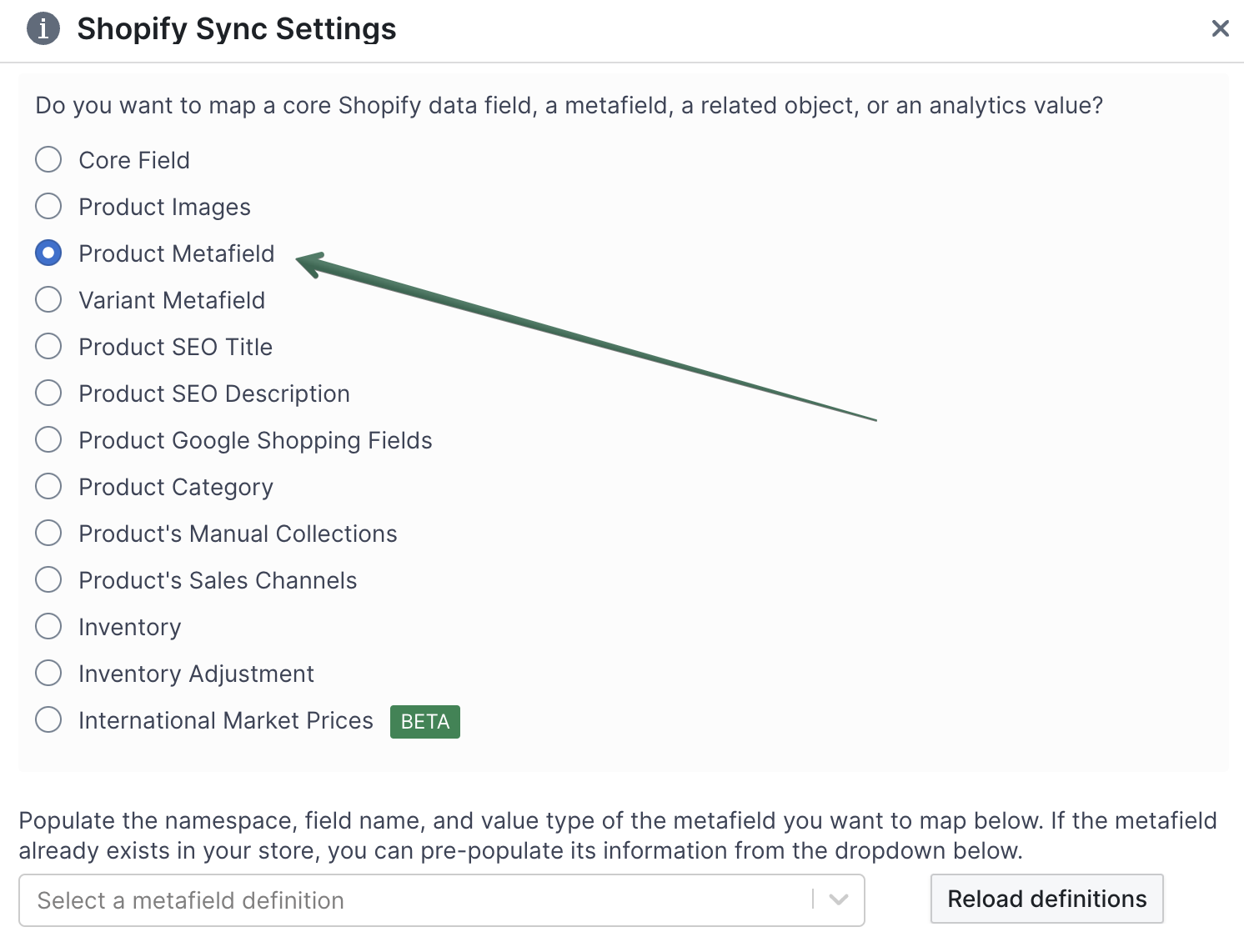
On a Products (with variants) worksheet, alongside variant-level metafields, you can now map columns to metafields that belong to the parent product. So now product metafields can be changed from a Products (no variants) worksheet and from a Products & Variants worksheet.
Product images can now be shown on a Products (with variants) worksheet
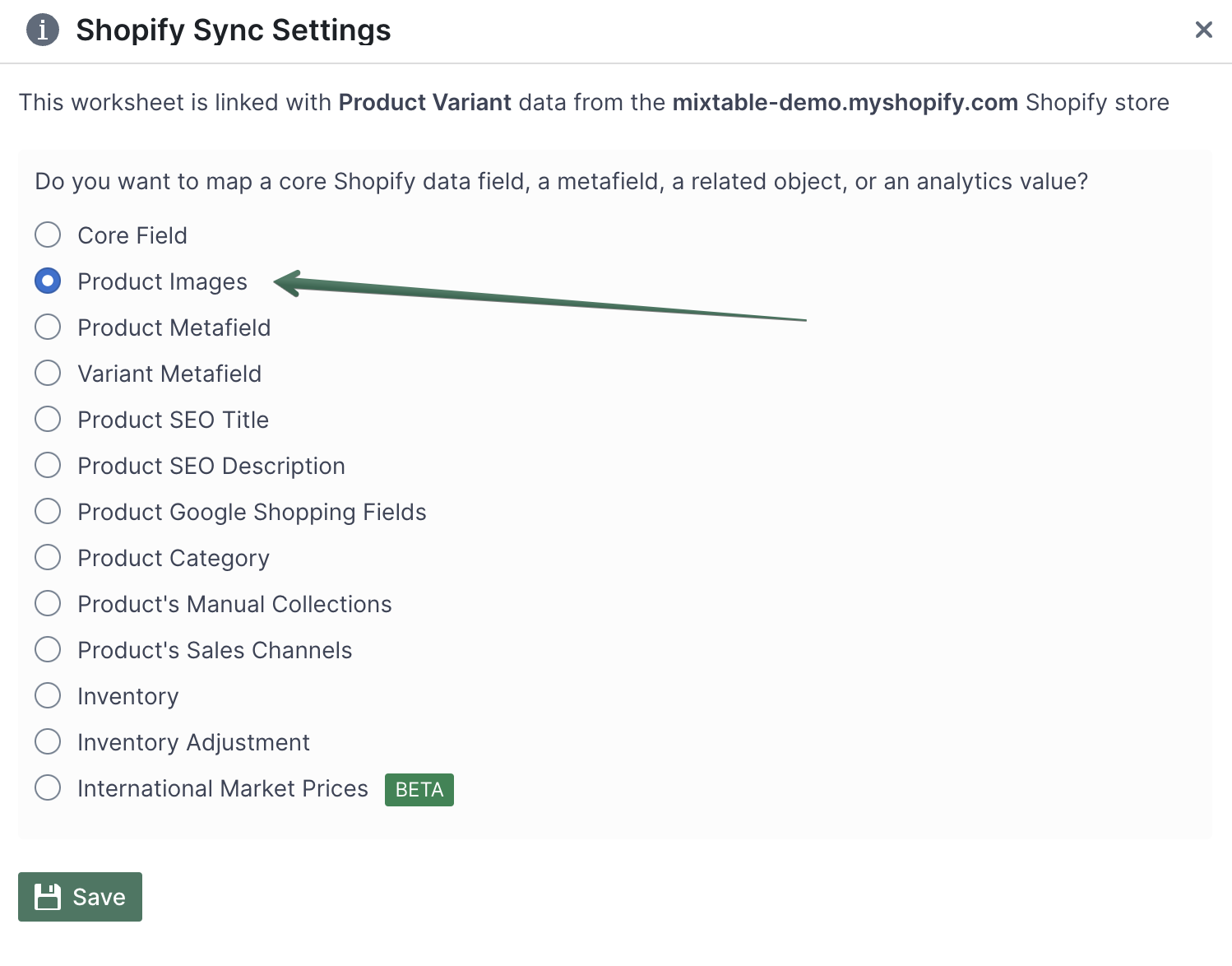
You can now map the product’s images to show on a Products (with variants) worksheet.
Inventory sub-types can now be mapped to columns
Shopify has recently introduced the ability to “break-down” inventory into different types. Mixtable now allows you to map a column to each of these different inventory types. Inventory data will sync for all inventory sub-types from Shopify to Mixtable. However, only “Available” inventory can be synced from Mixtable to Shopify.