
Matrixify vs Mixtable: Pricing, Item Caps, and Which to Use
 Spreadsheet EditorExport: Excel & CSV Updated October 16, 2026
 On this page
Running a Shopify store means a constant negotiation with your own data: last-minute product changes before a sale, inventory that has to match a supplier, or a migration that moves thousands of SKUs from another platform.
Matrixify and Mixtable both save you hours of manual admin work, but they disagree about where the work should happen. Matrixify moves your data out to a file, lets you change it there, and imports it back. Mixtable keeps the data in a live spreadsheet you edit directly. This comparison covers what each approach is genuinely better at.
Which one to choose based on your store’s needs?
| Matrixify | Mixtable | |
|---|---|---|
| What’s similar |
|
|
| Approach | File-based. Export a file, edit it in Excel or Google Sheets, import it back | Live spreadsheet. Edit the grid in your browser, preview, then sync |
| Differences |
|
|
| Used by |
|
|
| Popular for |
|
|
| What is metered |
|
|
| Price |
|
|
| App store links | Matrixify | Mixtable |
What both apps are good at
-
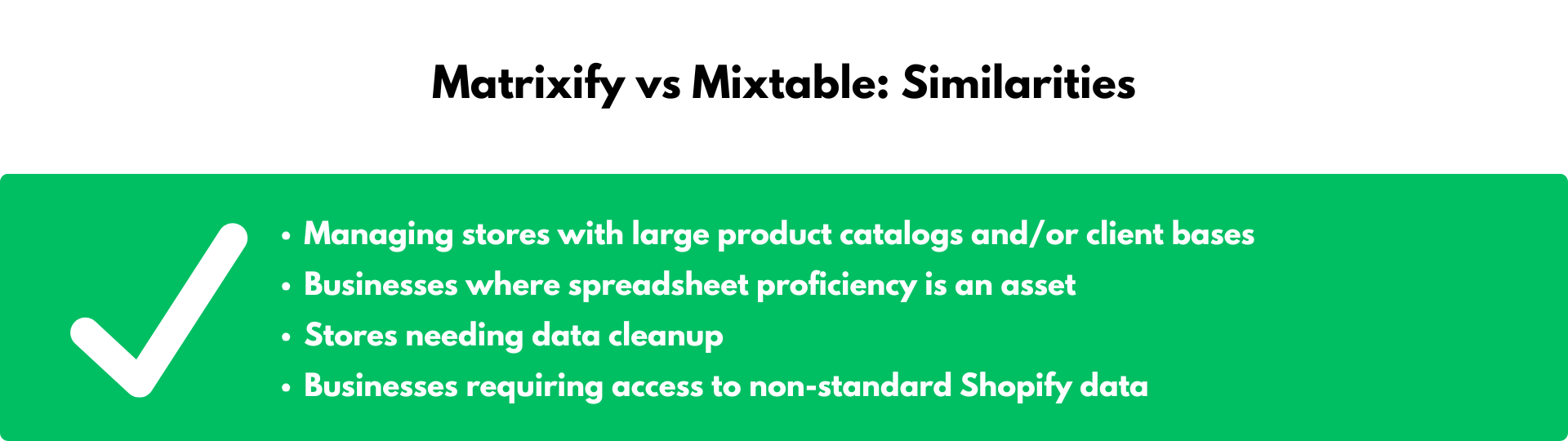
Large catalogs and customer bases. Stores with thousands of products use either app for cataloging new items and running bulk updates across products, prices, metafields, customers, and orders.
-
Teams with spreadsheet skills. Both reward Excel proficiency. Matrixify expects you to work in Excel or Google Sheets and move files; Mixtable puts Excel-like data management in the browser, connected to the store.
-
Data cleanup. Both are effective for clearing out old products and tidying customer and order records that the Shopify admin makes tedious to work through.
-
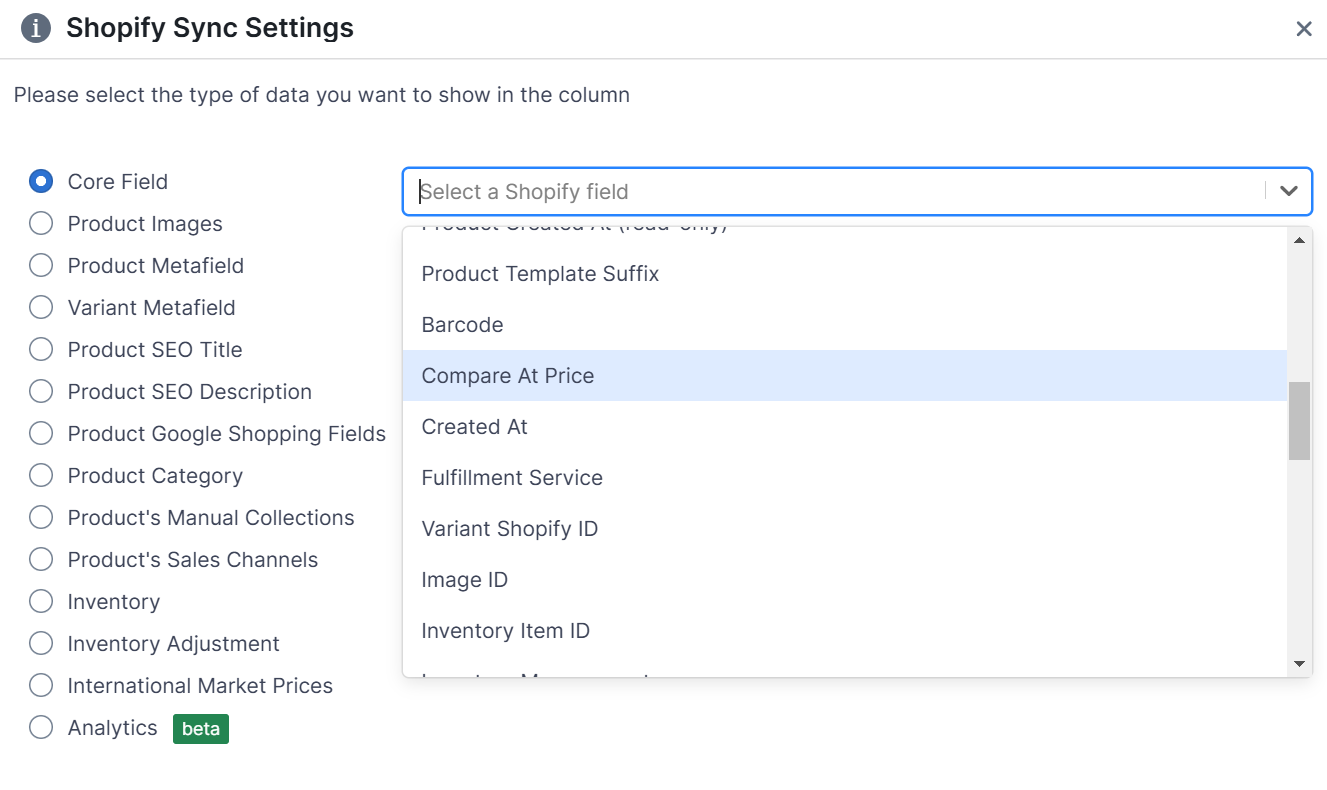
Data Shopify’s own export does not give you. Both reach fields missing from the standard Shopify CSV export. With Matrixify you work with its documented column names; with Mixtable you pick each column from a searchable list of Shopify fields.
Where Matrixify is better
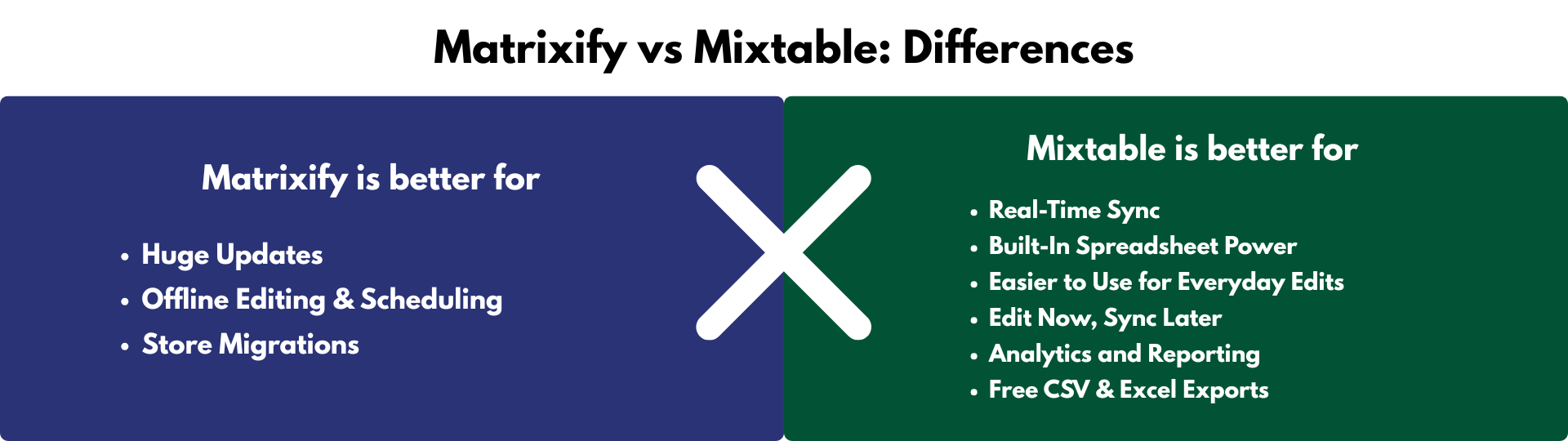
1. Migrations from other platforms. This is Matrixify’s clearest advantage and Mixtable does not compete at all. It imports from WooCommerce, WordPress, Magento, BigCommerce, and Lightspeed, covering products, blog posts, customers, and orders. If you are moving a store onto Shopify, use Matrixify.
2. Scheduling and auto-repeat. Import and export jobs can run on a schedule and repeat automatically, which is how many stores keep a daily inventory or order report flowing. Mixtable has no scheduler.
3. Very large single jobs. Matrixify is built for file volume. The Big plan includes batch import and five parallel threads, while Enterprise increases parallel processing and allows parallel manual jobs. When the task is “load 200,000 rows in one pass,” a file pipeline is the right architecture.
4. Offline and collaborative editing. Because the work happens in a file, your team can edit in Excel or Google Sheets, review together, and import when everyone agrees.
Where Mixtable is better
1. No file round-trip. The Matrixify loop is export, wait, open the file, edit, save, upload, wait, check the results. Mixtable removes it. Your data is already in the grid, you change it, and you sync. For the small and frequent edits that make up most of a merchant’s week, the round-trip is the actual cost, not the editing.
2. You work in a connected sheet instead of an exported snapshot. In a file, you are editing a snapshot that started aging the moment it was exported. Mixtable refreshes many Shopify data types through normal worksheet flows, while some types require a manual download. Refresh the relevant worksheet before a time-sensitive edit.
3. Formulas that run in the connected sheet. Filters, calculations, and lookup tables work directly on the worksheet: price from cost and category margin, build an SEO title from vendor and product type, or flag every variant whose compare-at price is below its price. Refresh the relevant Shopify data first, then sync the calculated values when ready.
4. Nothing is metered. Matrixify’s plans are drawn around items per job. The free Demo plan allows 10 items of each type. Basic ($20/month) allows 5,000 products and 1,000 orders per job. Big ($50/month) allows 50,000 products and 10,000 orders. Only Enterprise ($200/month) is unlimited. Mixtable’s price follows the Shopify plan you already pay for, and nothing caps products, rows, or edits.
5. Editing and reporting in one spreadsheet. Mixtable Analytics Spreadsheet adds reporting worksheets and analytics columns to the same system, so you can rank vendors by net sales and then edit those vendors’ products without switching tools. It is free for stores with fewer than 1,000 lifetime orders, and $15 to $49/month by Shopify plan for larger stores.
6. Exporting costs nothing. The Mixtable Export: Excel & CSV app is free. Load the Shopify data you want, choose your columns, and export to Excel or CSV with no item caps and no charge.
How syncing actually works
Mixtable keeps your spreadsheet connected to your store, and product, variant, collection, customer, and order data refreshes through normal worksheet flows. Your edits are held as drafts. The sync preview lists every affected row, object, field, and pending value, including values generated by formulas, and you run Sync to Shopify deliberately. Some data, including blogs, pages, payouts, market prices, and B2B prices, is refreshed with a manual download rather than automatically.
How do they compare on price?
Matrixify
Matrixify allows unlimited jobs on every plan, but caps the number of items in each job by data type. Jobs that AI agents such as Claude or ChatGPT start through its MCP connection also have a daily limit.
- Demo ($0), 10 products, 10 collections, 10 customers, 10 companies, 10 discounts, and 10 orders per file, plus 10 AI MCP jobs a day
- Basic ($20/month), 5K products, 300 collections, 2K customers, 300 discounts, 1K orders, and 100 AI MCP jobs a day
- Big ($50/month), 50K products, 3K collections, 20K customers, 3K discounts, 10K orders, batch import, five parallel threads, and 1,440 AI MCP jobs a day
- Enterprise ($200/month), unlimited items and AI MCP jobs, 10 or more parallel threads, and parallel manual jobs
Mixtable offers three apps, so you pick what you need
-
Only need to export? The Mixtable Export: Excel & CSV app is free. Load the Shopify data you want and export it to Excel or CSV at no cost.
-
Need to bulk edit? Mixtable Spreadsheet Editor adds editing and syncing. The free plan still exports to CSV and Excel; editing is priced by the Shopify plan your store is on.
- Free ($0), export to CSV and Excel
- Basic ($15/month)
- Grow & Advanced ($35/month)
- Shopify Plus ($49/month)
-
Need reporting? Mixtable Analytics Spreadsheet builds reporting worksheets from your Shopify order, product, and customer data, alongside other business data in the same spreadsheet. It is free for stores with fewer than 1,000 lifetime orders, and $15 to $49/month by Shopify plan for larger stores.
Paid editing plans are selected automatically based on your Shopify package and carry the same editing features without product, row, or edit caps. The free plan is for exporting, and stores get a free seven-day trial.
Conclusion
Choose Matrixify for migrations, for scheduled recurring jobs, and for single transfers so large that a file pipeline is genuinely the right tool. On those three, it is the better app and it is not close.
Choose Mixtable for everything after the migration. Most bulk editing is not a 200,000-row transfer; it is a merchant who needs to reprice 340 products, fix vendor names, and re-tag a collection before Friday. Matrixify makes that four file round-trips. Mixtable makes it one spreadsheet, one preview, and one sync, at $15 to $49/month depending on your Shopify plan, with no item caps, free exports, and analytics in the same spreadsheet.
Both have a free way to start, so you can try each against a real task from your own week.