
Search for Shopify information
 Spreadsheet EditorExport: Excel & CSV Updated October 6, 2026
 Mixtable’s worksheet search helps you find text, numbers, SKUs, customer details, and other values in the active worksheet. It shows every matching cell, lets you move through the results, and keeps track of which match you are viewing.
Open worksheet search
There are three ways to open search while working in a Mixtable worksheet:
- Click the Find button in the toolbar, just below the menu bar
- Choose Worksheet > Find in worksheet from the menu bar
- Press Ctrl+F on Windows or Cmd+F on a Mac
The search panel opens at the top right of the worksheet and places your cursor in the Search cells… box.
Looking to change text, not just find it? Search only finds values. To replace a word or phrase across a whole column, use Bulk Edit > Find and Replace instead. See Find and replace Shopify data in bulk.
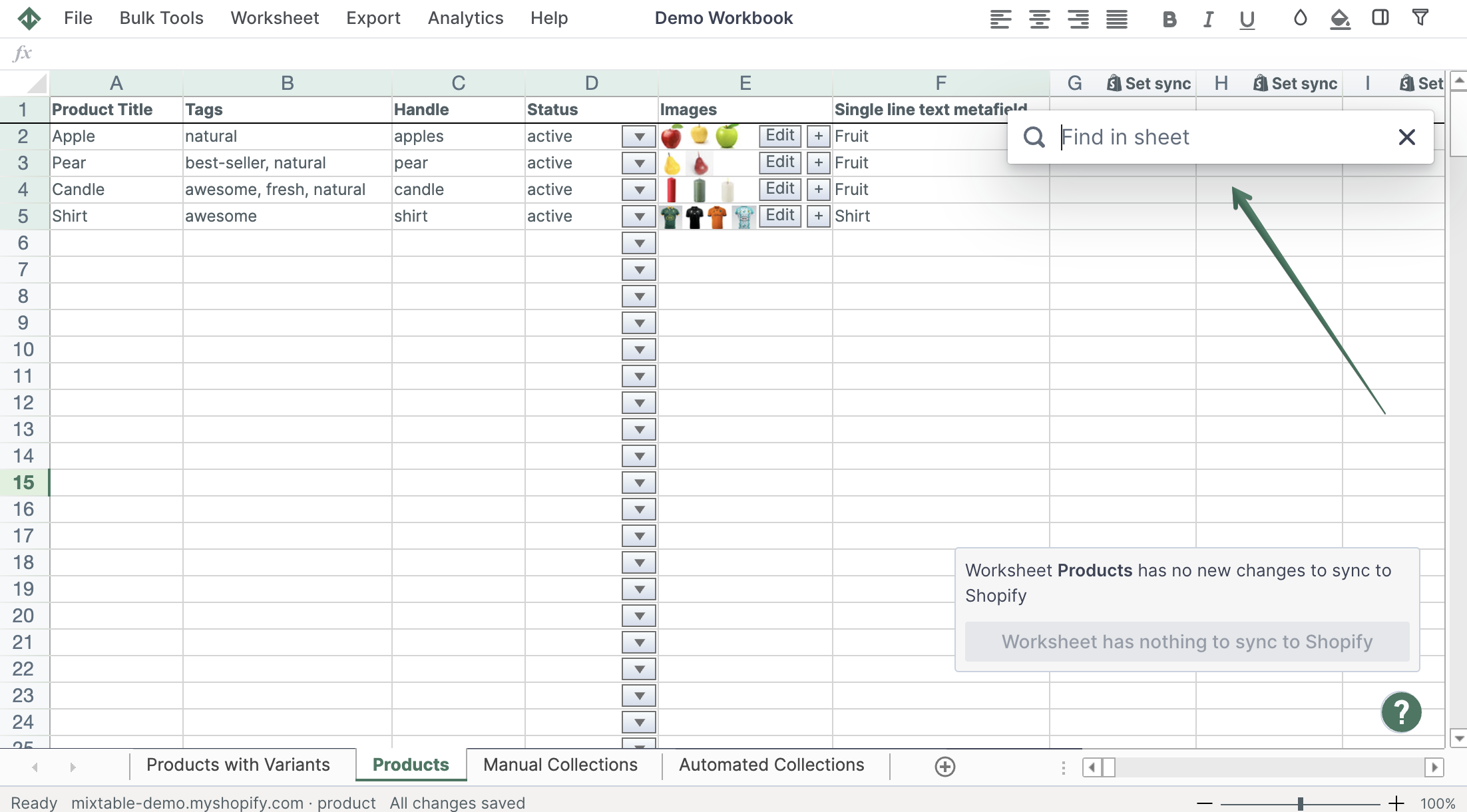
Search the active worksheet
- Type the value you want to find in Search cells…
- Wait briefly while Mixtable searches the active worksheet
- Review the match counter, such as 1 of 12, to see your current result and the total number of matches
- Click Prev or Next to move backward or forward through the matching cells
- Click any item under Matches to jump directly to that result
Each result shows the column, worksheet row, and matching cell content. Mixtable highlights the matching text in the results list and selects the corresponding cell in the worksheet.
If there are no results, the panel displays No matches found. Try a shorter or different search term.
Search a different worksheet
Search works on the active worksheet. If you switch to another worksheet while the search panel is open, Mixtable reruns the same search against the newly selected worksheet.
To close search, click the X, press Escape, or use the keyboard shortcut again.